

Camera for Yoga Classes: Smartphone or Pro Camera? Complete Comparison Guide
Smartphone, webcam, mirrorless, action cam... Which camera for filming your yoga classes? Complete comparison with recommendations by budget.
Équipe Retreat And Be
Editorial content produced and reviewed by the Retreat And Be team.
Introduction
"I need a good camera to film my classes." That's often the first thought. And it's often a priority mistake.
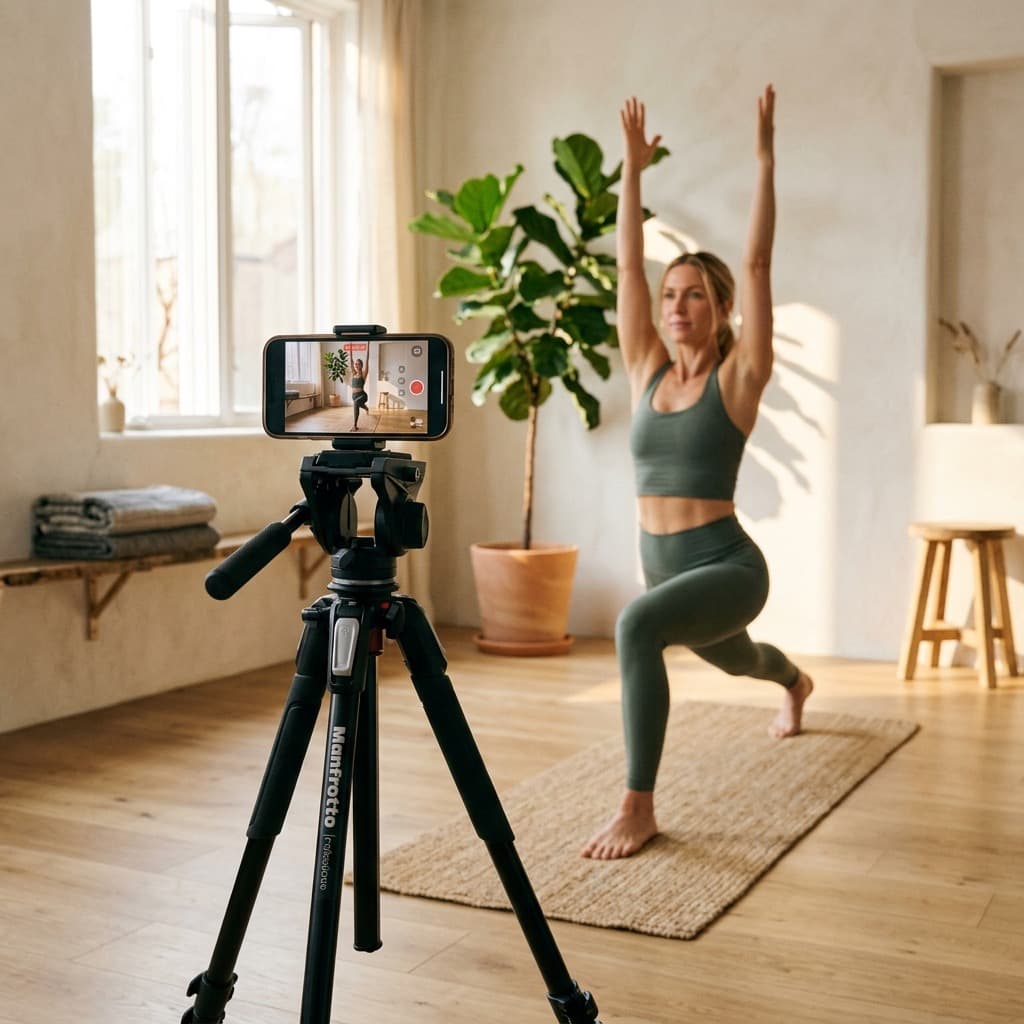
The truth? A smartphone less than 3 years old, well-lit, with a good mic, produces perfectly professional images. It's not the camera that makes the difference — it's the lighting, audio, framing, and of course, your content.
That said, there are situations where upgrading makes sense. This guide compares the options and helps you choose based on your actual needs.
Smartphone: The Default Option
Why It's Often Enough
Modern smartphones (iPhone 12+, Samsung S21+, Pixel 6+) have excellent sensors:
- 4K at 30 or 60 fps
- Optical stabilization
- Cinematic mode (background blur)
- Impressive automatic image processing
The Advantages
- ✅ You already have it — zero investment
- ✅ Excellent quality — smartphones rival €1000 cameras
- ✅ Easy to use — familiar interface
- ✅ Compact — easy to position
- ✅ Dual purpose — no dedicated equipment
The Limitations
- ❌ Overheating — long sessions (30min+) can cause it to overheat
- ❌ Storage — 4K eats up space quickly
- ❌ Battery — may drain during filming
- ❌ Limited control — fewer manual options
Equipping It for Filming
- 1
A tripod
A quality smartphone tripod (€30-80) is essential. Look for stability and adjustable height for full-body framing.
- 2
A pro app
Filmic Pro (iOS/Android) gives manual control (ISO, aperture, focus). More stable for long sessions.
- 3
An external mic
Essential. Wireless lavalier mic or shotgun connected to smartphone.
- 4
Lighting
This is where real image quality happens. Ring light or LED panels.
Webcam: For Live Streaming
When to Choose a Webcam
If you mainly do live classes (Zoom, YouTube Live), a quality webcam can be more practical than a smartphone or camera.
Recommended Models
| Model | Price | Resolution | Use |
|---|---|---|---|
| Logitech C922 | ~$80 | 1080p | Decent entry level |
| Logitech Brio | ~$200 | 4K | Excellent |
| Elgato Facecam | ~$180 | 1080p 60fps | Creator-optimized |
| Sony ZV-E10 (as webcam) | ~$700 | 4K | Pro-level |
The Limitations
- Often narrow field of view (not ideal for full body)
- Quality inferior to recent smartphones
- Depends on computer for recording
Mirrorless/DSLR Camera: The Level Up
When It's Worth It
- You sell premium courses and quality matters
- You also do photography
- You've exceeded smartphone limits (long sessions, total control)
- You want that "cinematic" look with natural background blur
Recommended Models for Yoga
Entry level ($500-900):
- Sony ZV-E10: Designed for creators, flip screen, compact
- Canon EOS M50 Mark II: Good autofocus, easy to use
- Fujifilm X-S10: Excellent colors, stabilized
Intermediate ($900-1500):
- Sony A6400: Excellent autofocus, no recording limit
- Canon R10: Impressive tracking autofocus
- Panasonic GH5: Pro video, excellent stabilization
Pro ($1500+):
- Sony A7C / A7 IV: Full frame, exceptional quality
- Canon R6: Impressive low light and autofocus
Essential Accessories
- Lens: 16-50mm or 18-55mm to start (often included in kit)
- Sturdy tripod: $100-200
- Fast SD card: V30 minimum for 4K
- Extra battery: Yoga sessions are long
- Dummy battery: For mains power (unlimited sessions)
Action Cam (GoPro): Specific Cases
When It's Relevant
- Outdoor classes: Hiking, beach yoga
- POV (point of view): Show what you see
- Wide angle of view: Small space, full body
The Limitations
- Inferior indoor quality (small sensor)
- Fisheye distortion (can be corrected but...)
- Poor audio (external mic necessary)
Summary Comparison
| Option | Budget | Quality | Versatility | Ease |
|---|---|---|---|---|
| Smartphone | $0 (already owned) | ⭐⭐⭐⭐ | ⭐⭐⭐⭐⭐ | ⭐⭐⭐⭐⭐ |
| Webcam | $80-200 | ⭐⭐⭐ | ⭐⭐ | ⭐⭐⭐⭐⭐ |
| Entry mirrorless | $500-900 | ⭐⭐⭐⭐ | ⭐⭐⭐⭐ | ⭐⭐⭐ |
| Pro mirrorless | $1500+ | ⭐⭐⭐⭐⭐ | ⭐⭐⭐⭐⭐ | ⭐⭐⭐ |
| Action cam | $200-400 | ⭐⭐⭐ | ⭐⭐⭐ | ⭐⭐⭐⭐ |
Optimal Settings for Yoga
Resolution and Framerate
- 1080p 30fps: Standard, manageable files, sufficient for most
- 1080p 60fps: Smoother movements, good for dynamic yoga
- 4K 30fps: If you have the storage and want the best quality
Framing
- Wide shot for complete sequences
- Medium shot for technical details
- If possible, use 2 angles (or film certain passages twice)
Autofocus
Make sure autofocus tracks your face/body as you move. Recent Sony and Canon excel at this. Test before filming!
Stabilization
- If your camera has built-in stabilization (IBIS), enable it
- Otherwise, use a solid tripod
- Avoid handheld (hello seasickness)
Multicam: Do You Need Multiple Angles?
The Advantages
- More visually dynamic
- Ability to show details
- More professional look
The Reality
- More complex to setup and synchronize
- More post-production work
- Requires suitable editing software
Recommendation: Start with one well-mastered angle. Add a second angle when everything else is solid.
FAQ
Is my 3-year-old smartphone enough?
Probably yes, if it films at 1080p minimum. Test: film yourself, watch the result on a computer screen. If it
iPhone vs Android for video?
iPhones historically have a slight advantage in video processing, but recent Samsung and Pixel are excellent. Use what you have — the difference is minimal for yoga content.
Do I need 4K?
Not mandatory. 1080p is still the standard for streaming and sufficient for most uses. 4K is useful if you want to crop in post-production or sell premium long-form content.
What's the maximum recording duration?
It varies. Smartphones: often limited by heat (30-45min). Webcams: unlimited. Cameras: some have limits (30min on photo models), others don
Conclusion
The best camera is the one you already have. Your smartphone, well-configured, is probably sufficient for months, even years.
If you want to upgrade, invest first in lighting and audio. Then, if smartphone limitations really frustrate you (long sessions, creative control), look at entry-level mirrorless cameras.
Content and connection with your students matter infinitely more than pixels. Don't let equipment become an excuse not to start.
Ready to film?
Retreat & Be supports you from creation to distribution. Streaming, VOD, community — everything to launch your wellness creator business.
Join Retreat & BeKeywords
Ready to transform your wellbeing?
Join thousands who have already started their wellness journey with Retreat & Be.
Start